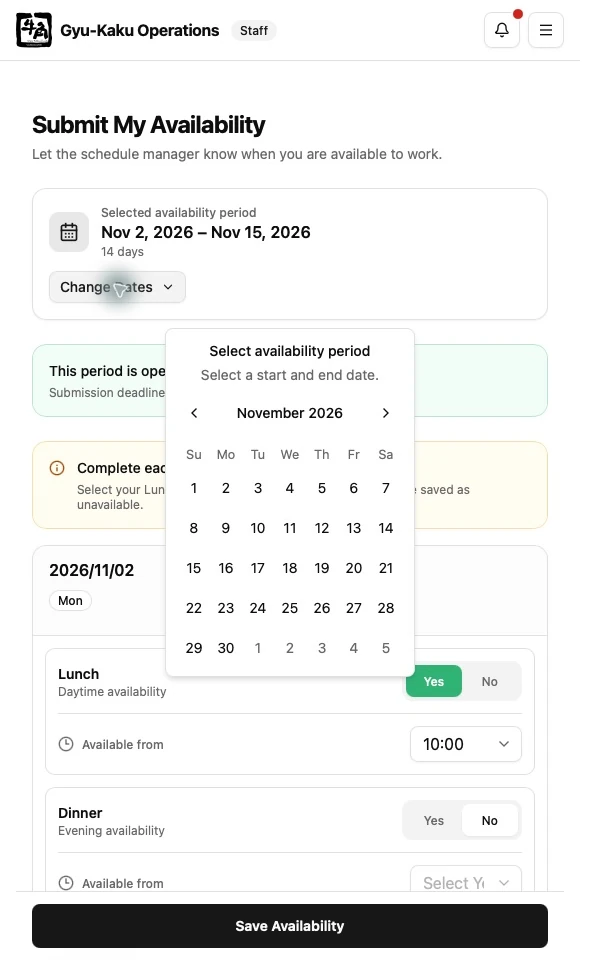
Submit Availability
Availability is entered for Lunch and Dinner separately. You can also provide the earliest time you can start.
Open the submission page
Section titled “Open the submission page”- From Staff Dashboard, select Submit Availability.
- Confirm the date range shown at the top of the page.
- Check the deadline and whether the selected cycle is open.
The standard operating cycle is 14 days. The application calculates the deadline using the Vancouver business timezone and server time, not your device clock.
Enter each day
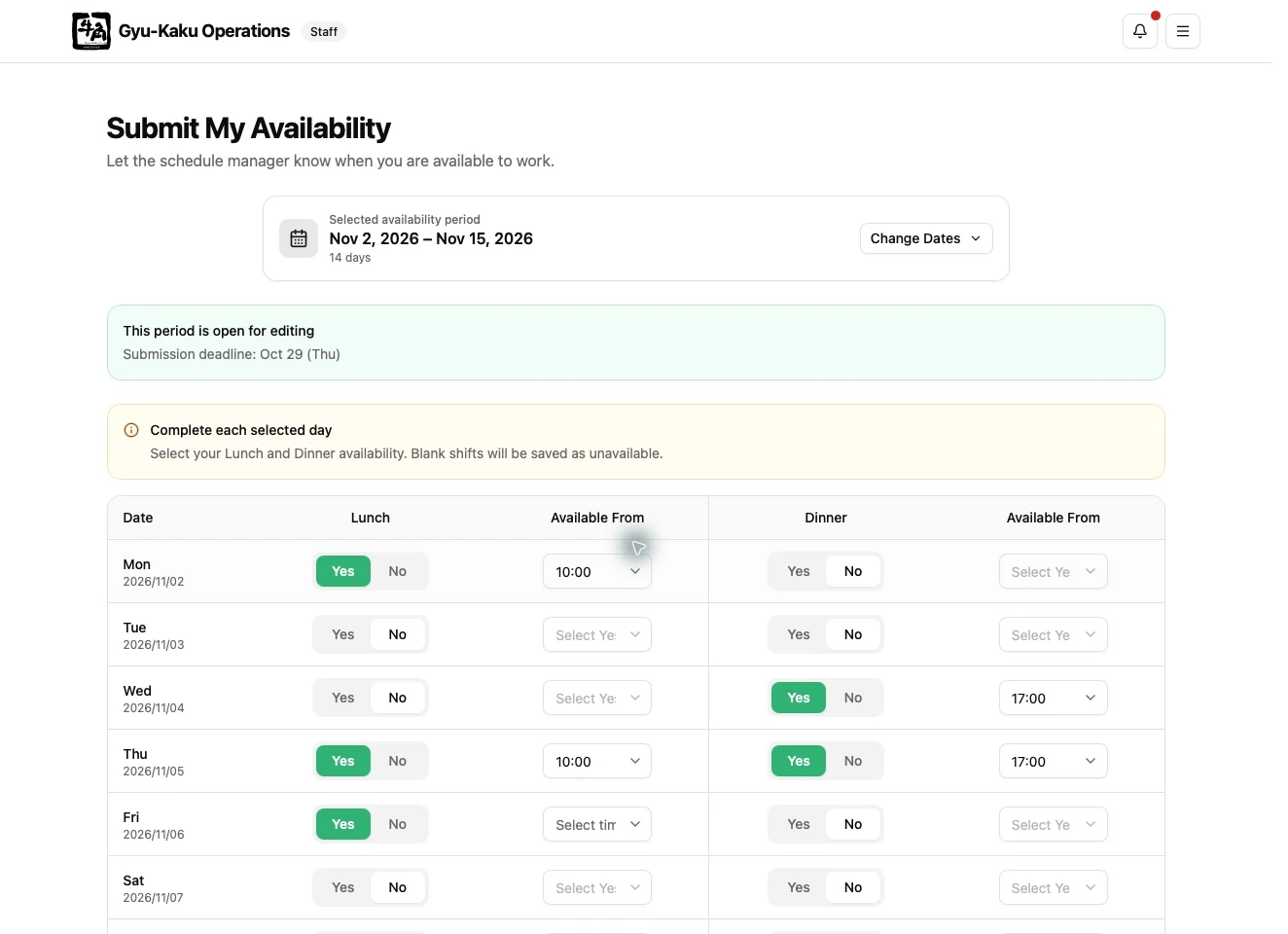
Section titled “Enter each day”For each date, set Lunch and Dinner independently. Mark a service unavailable when you cannot work it. Mark it available when you can work it, and enter your earliest available start time if you cannot start at the normal time.
When no later start time is selected, the system uses the standard start: 10:00 for Lunch and 17:00 for Dinner.
Submit or update
Section titled “Submit or update”- Review all dates in the selected cycle.
- Submit the availability.
- Confirm that the success message appears.
You may update an open cycle and any future cycle. Once the target cycle closes, you can still view the submitted information but cannot change it yourself.
Availability symbols
Section titled “Availability symbols”| Symbol | Meaning |
|---|---|
- |
No submission |
X |
Unavailable |
O |
Available at the normal start time |
O (HH:mm) |
Available from the displayed time |
Submitting availability does not guarantee a shift. It provides the information used to build and validate the schedule.
Date selection and reminders
Section titled “Date selection and reminders”To change the date range, open the calendar, select a new start date and end date, then apply the range. Cancel keeps your previous selection. Submit by the deadline displayed on the submission page.
An availability reminder can arrive even after you have submitted. Check the requested range and your saved entries before submitting again. A reminder does not reopen a closed cycle.