Build and Publish a Schedule
Open Schedule Management, choose a Monday week start, and open the Schedule Builder.
Understand the board
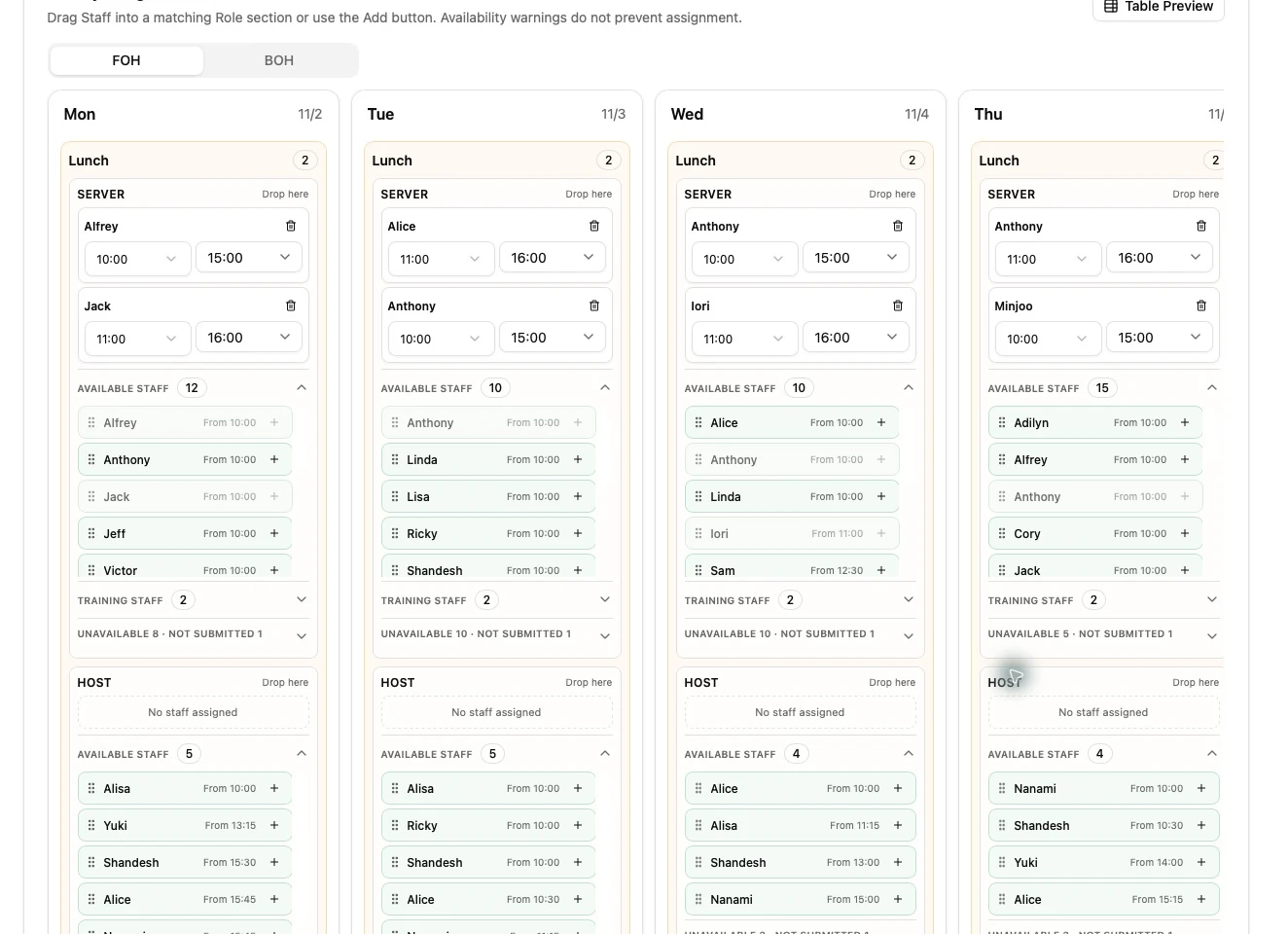
Section titled “Understand the board”The board is divided into FOH and BOH, seven dates, and Lunch/Dinner services. The section where a candidate is placed determines the assignment role and service.
Candidate information combines the Staff roster, scheduling roles, primary roles, availability, approved vacation, Training status, and current Draft assignments.
Add or edit an assignment
Section titled “Add or edit an assignment”- Choose the target date, service, and role section.
- Select an eligible candidate.
- Set the start time.
- Set either an actual end time or one end task.
- Review the calculated position and warnings.
- Confirm allowed warnings only when the operational exception is intentional.
Allowed end tasks are PREP, HELPER, BREAK_COVER, and CLOSING. PREP is available only for BOH scheduling roles.
Time rules
Section titled “Time rules”- Lunch starts: 10:00–16:00 in 15-minute intervals.
- Dinner starts: 17:00–20:00 in 15-minute intervals.
- Actual end: 11:00–24:00 in 15-minute intervals and after the start.
- An actual end time and an end task are mutually exclusive; one is required.
Position calculation
Section titled “Position calculation”Task-based positions take priority: PREP becomes Lunch, HELPER/BREAK_COVER becomes Mid, and CLOSING becomes Dinner. Without a task, the system calculates Lunch, Mid, or Dinner from the shift times.
Save and publish
Section titled “Save and publish”- Save Draft keeps the schedule private and editable.
- Publish creates the first Staff-visible snapshot.
- Update Published creates a new Staff-visible snapshot after a later change.
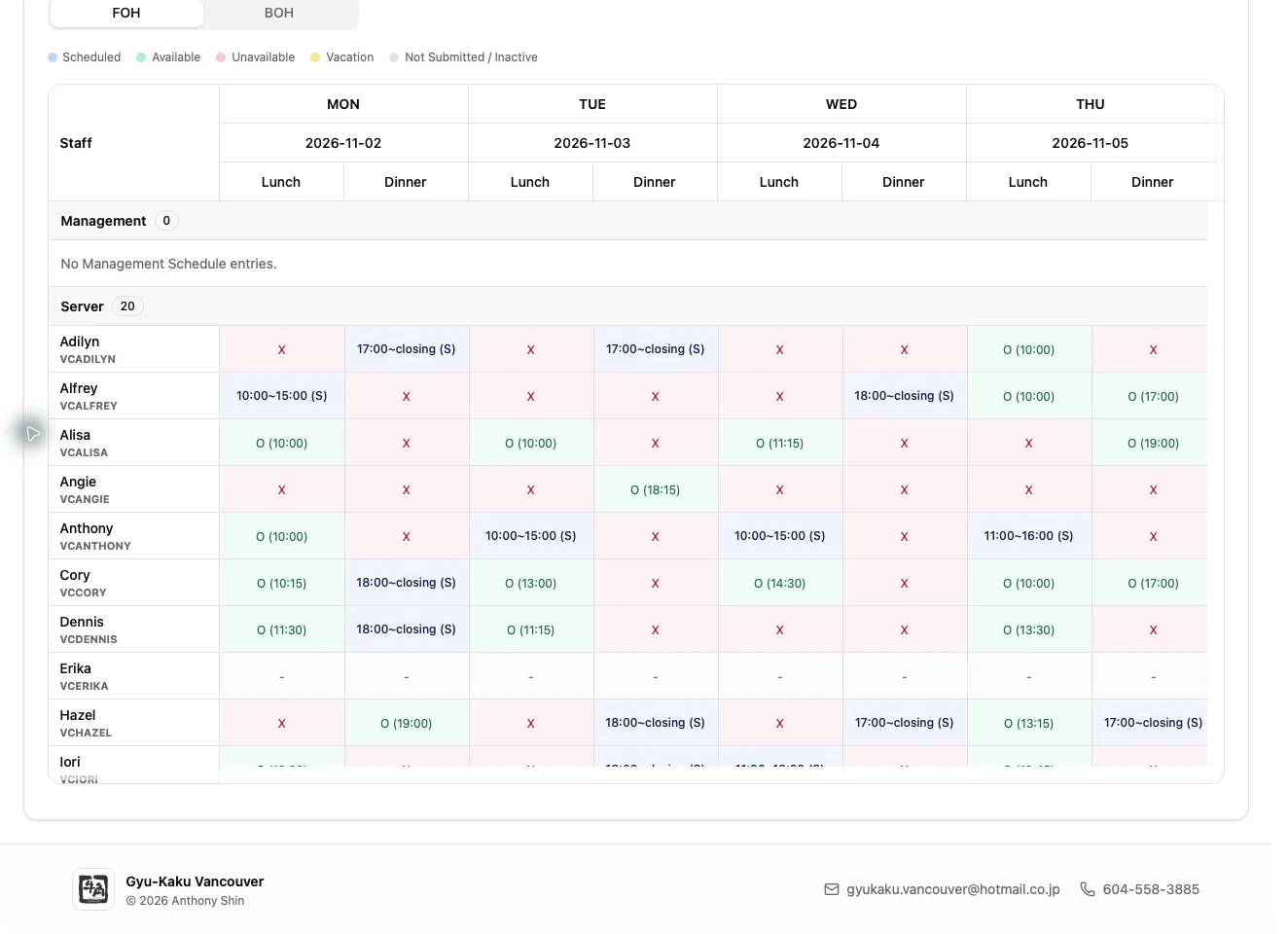
Use Table Preview to check all sections. Assignment codes show the actual role, and (T) identifies Training.
Review workload before publishing
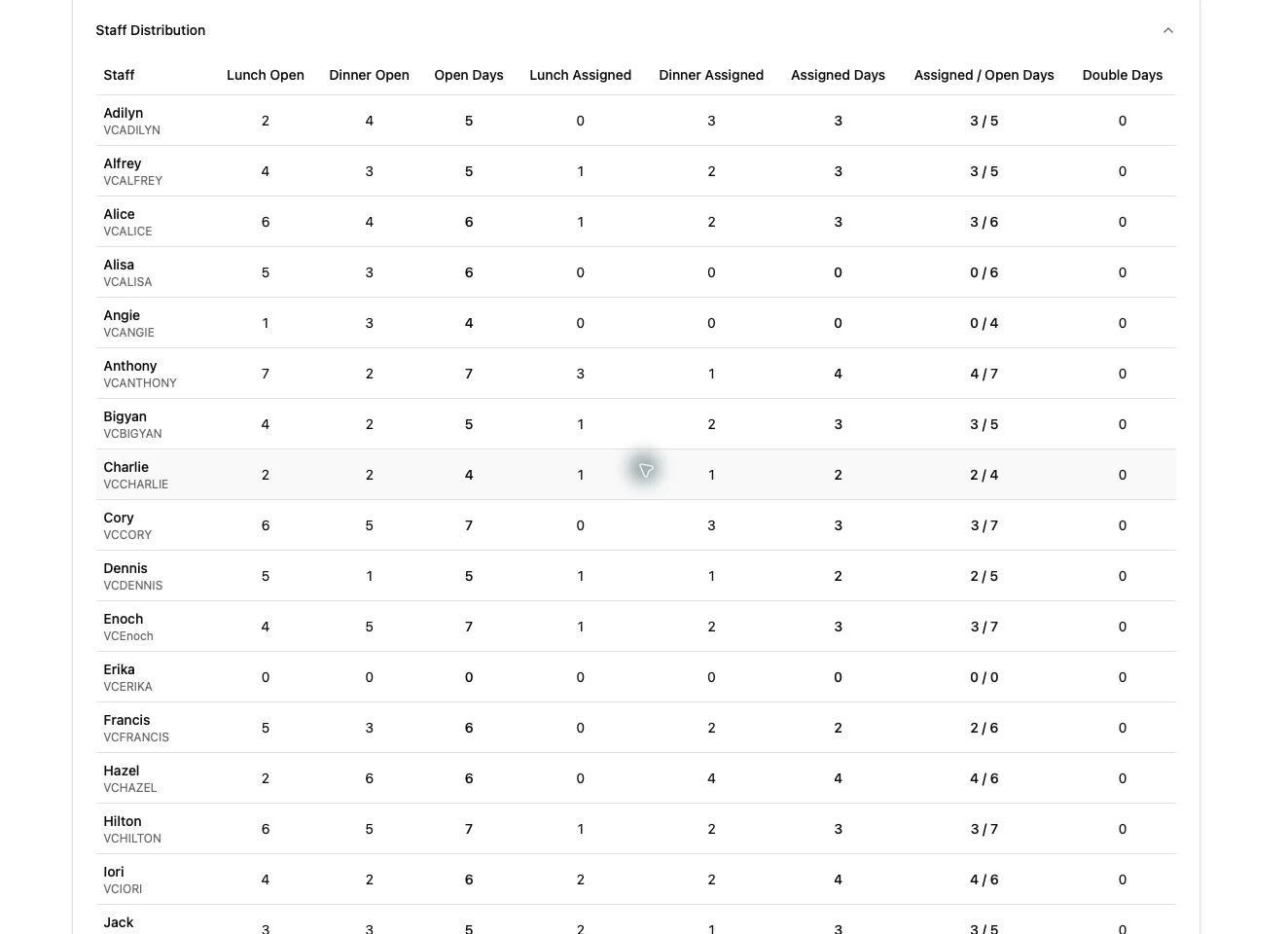
Section titled “Review workload before publishing”Expand Schedule Statistics to compare current regular Lunch/Dinner assignments, assigned days, available days, and double-shift days for each staff member. Statistics reflect the current Draft, including manual edits; Training assignments are excluded. The section starts collapsed, so open it when you need to check the distribution.
Publishing or updating the Staff schedule sends a notification to all active staff. Saving a Draft does not make it visible to staff.