Staff Management
Open Management, then select Staff Management.
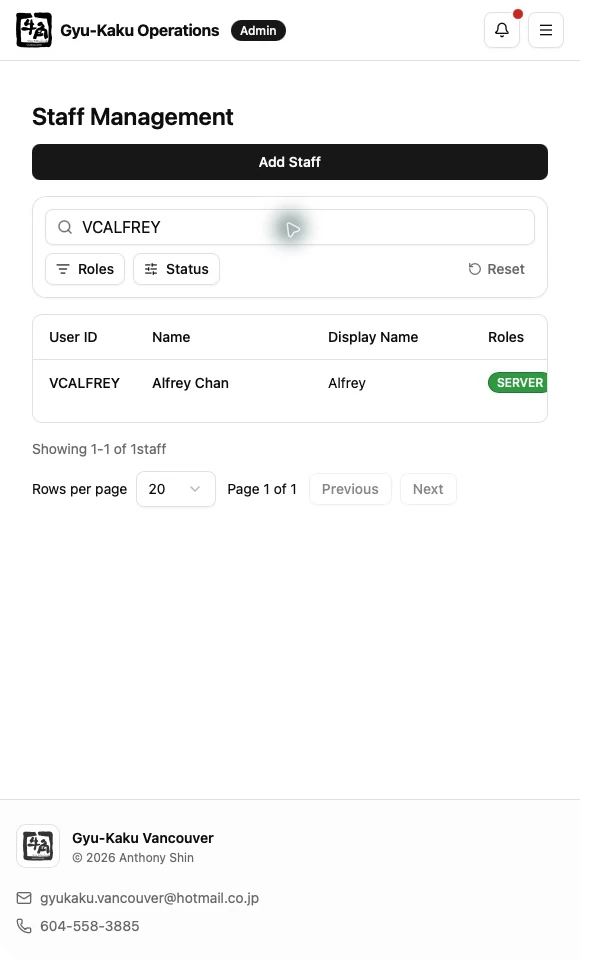
Find and review staff
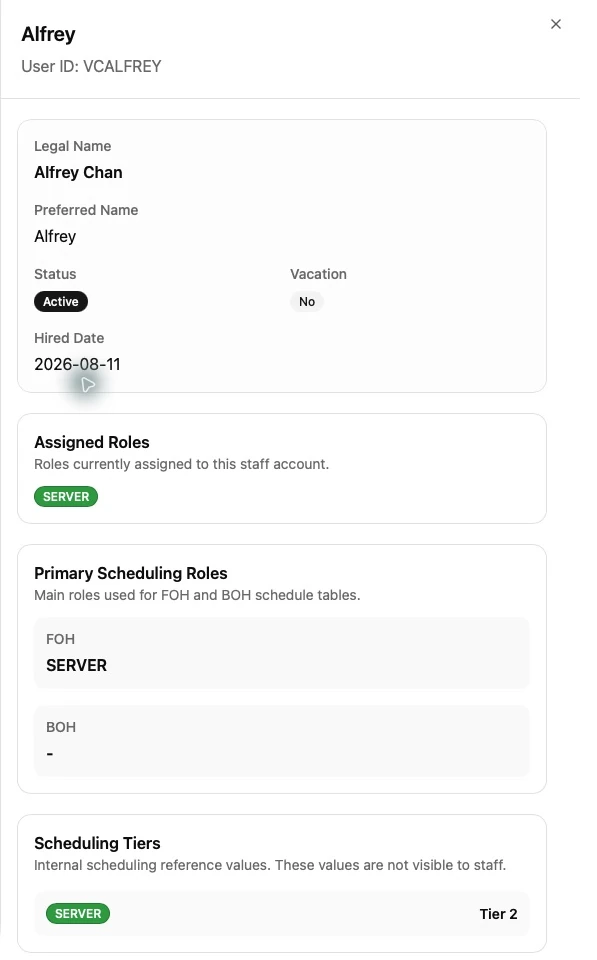
Section titled “Find and review staff”Use search, role filters, and pagination to locate a staff member. Select a row to open the detail sheet. The sheet separates profile information from Scheduling Settings.
Add a staff member
Section titled “Add a staff member”- Select the add-staff action.
- Enter the Staff ID, name, display name, hired date, and initial password as required.
- Assign all applicable roles.
- For multiple FOH or BOH roles, select the primary role for each area.
- Save, or use Create and Add Another when entering several staff members.
Scheduling roles are SERVER, HOST, KITCHEN, and DISHWASHER. MANAGER and SUPERVISOR grant management access but do not determine a schedule section.
Edit profile and roles
Section titled “Edit profile and roles”Use profile edit mode to update basic information, active status, and roles. A multi-role Staff member must have a valid primary role in each applicable area:
- FOH: SERVER or HOST
- BOH: KITCHEN or DISHWASHER
Staff with both FOH and BOH roles may appear in both areas. A Staff member with only TRAINING is excluded from scheduling.
Scheduling Settings
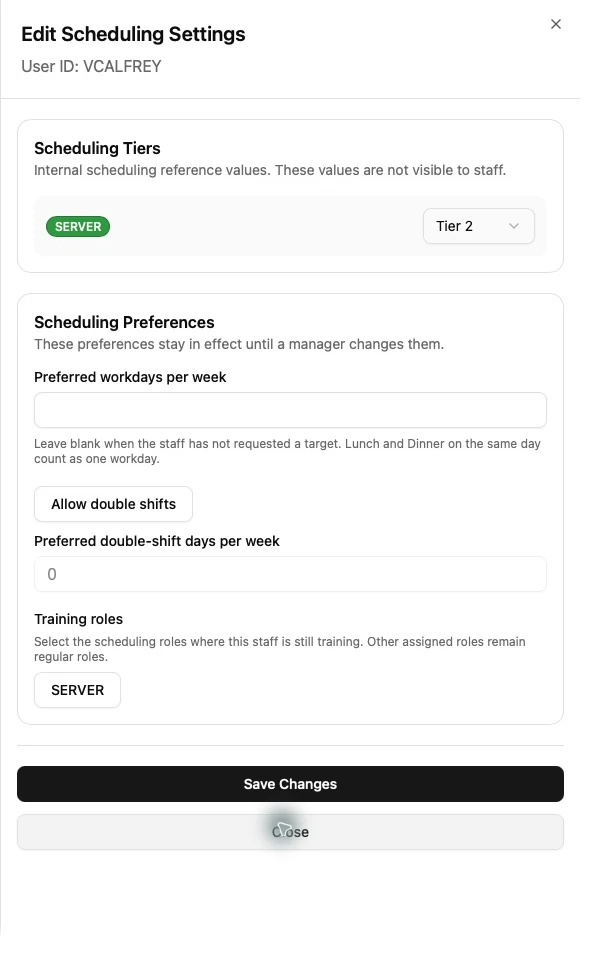
Section titled “Scheduling Settings”Scheduling Settings include:
- Preferred weekly workdays.
- Whether double shifts are allowed.
- Preferred weekly double-shift days.
- Training status for each scheduling role.
- Scheduling Tier, when the current user is a designated Tier Editor.
Training is role-specific. For example, someone with SERVER and KITCHEN can be in SERVER Training without being in KITCHEN Training.
Reset a password
Section titled “Reset a password”Open the staff detail sheet, choose the password-reset action, enter the temporary password, and provide it securely to the staff member. Ask them to change it after signing in.