Generate a Schedule Draft
Automatic generation is available to Managers and Supervisors from the Schedule Builder. It creates a Draft; it never publishes automatically.
Before generating
Section titled “Before generating”Confirm that the week has current availability, approved vacation, role assignments, Staff preferences, Training settings, Scheduling Tiers, and Tip Level data where applicable. An active generation policy must already exist.
Generate
Section titled “Generate”- Open the target week in Schedule Builder.
- Open the automatic-generation sheet.
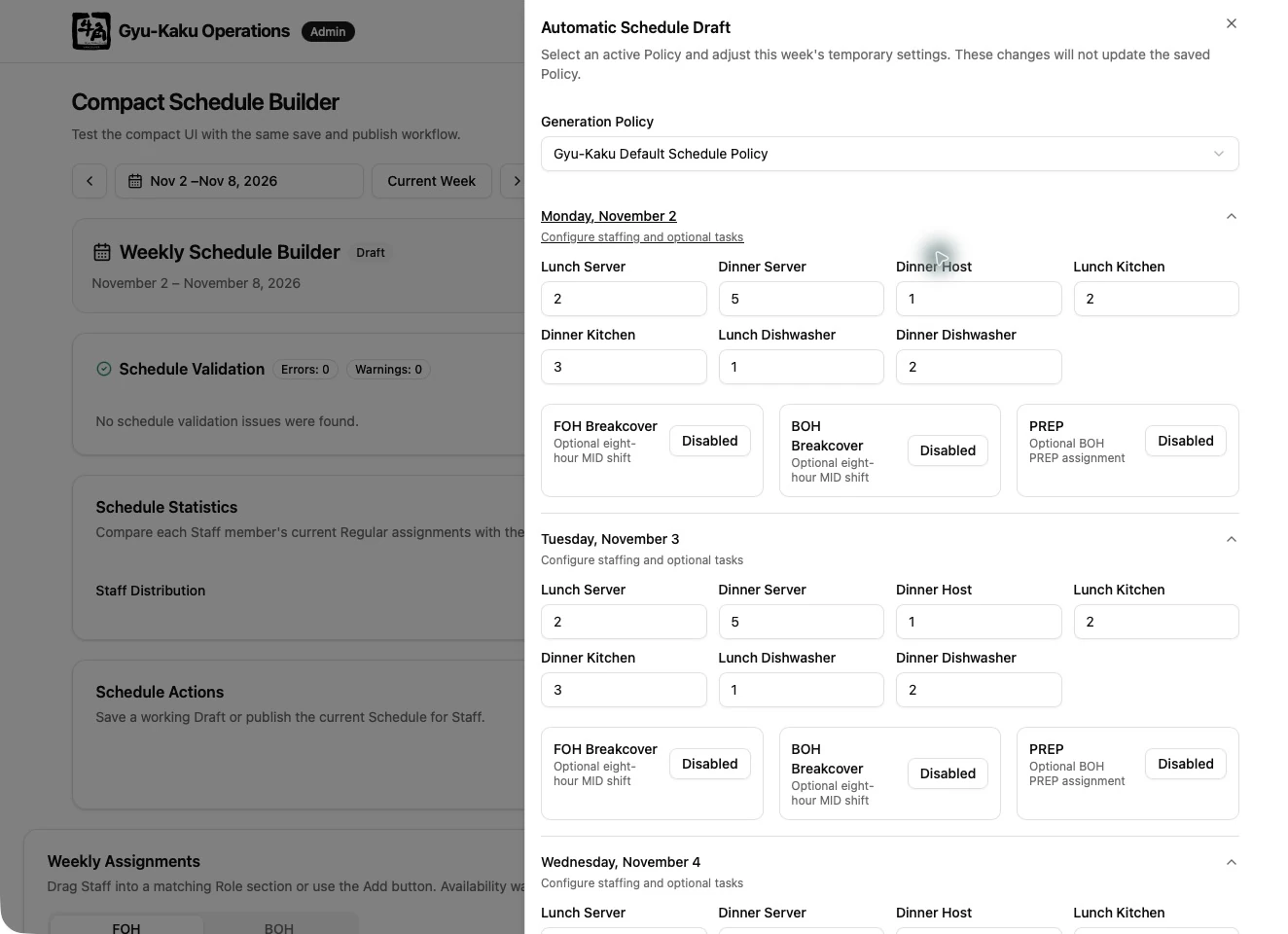
- Select an active policy.
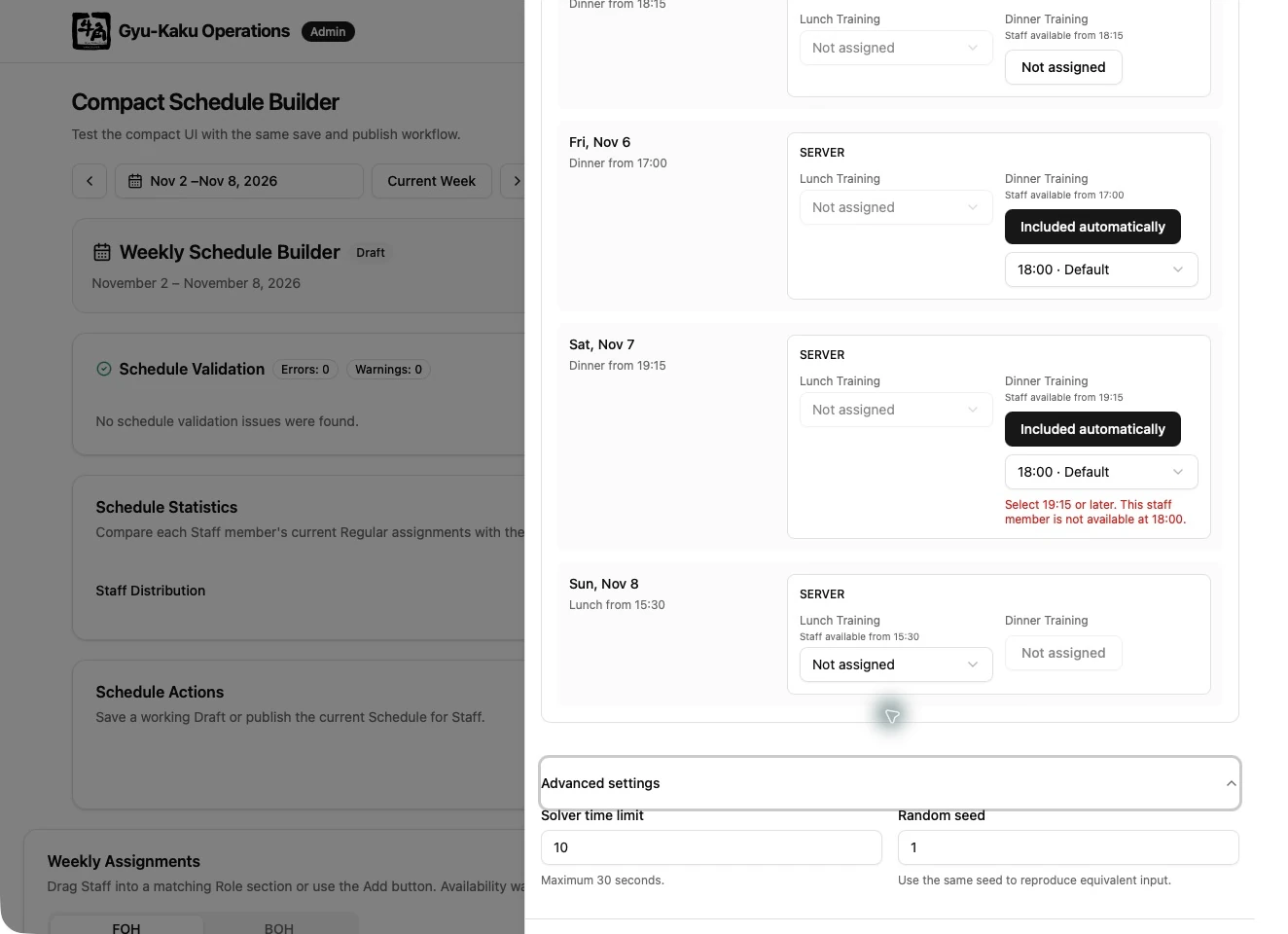
- Enter the required staffing for each day, role, and service.
- Configure PREP and break-cover requirements when needed.
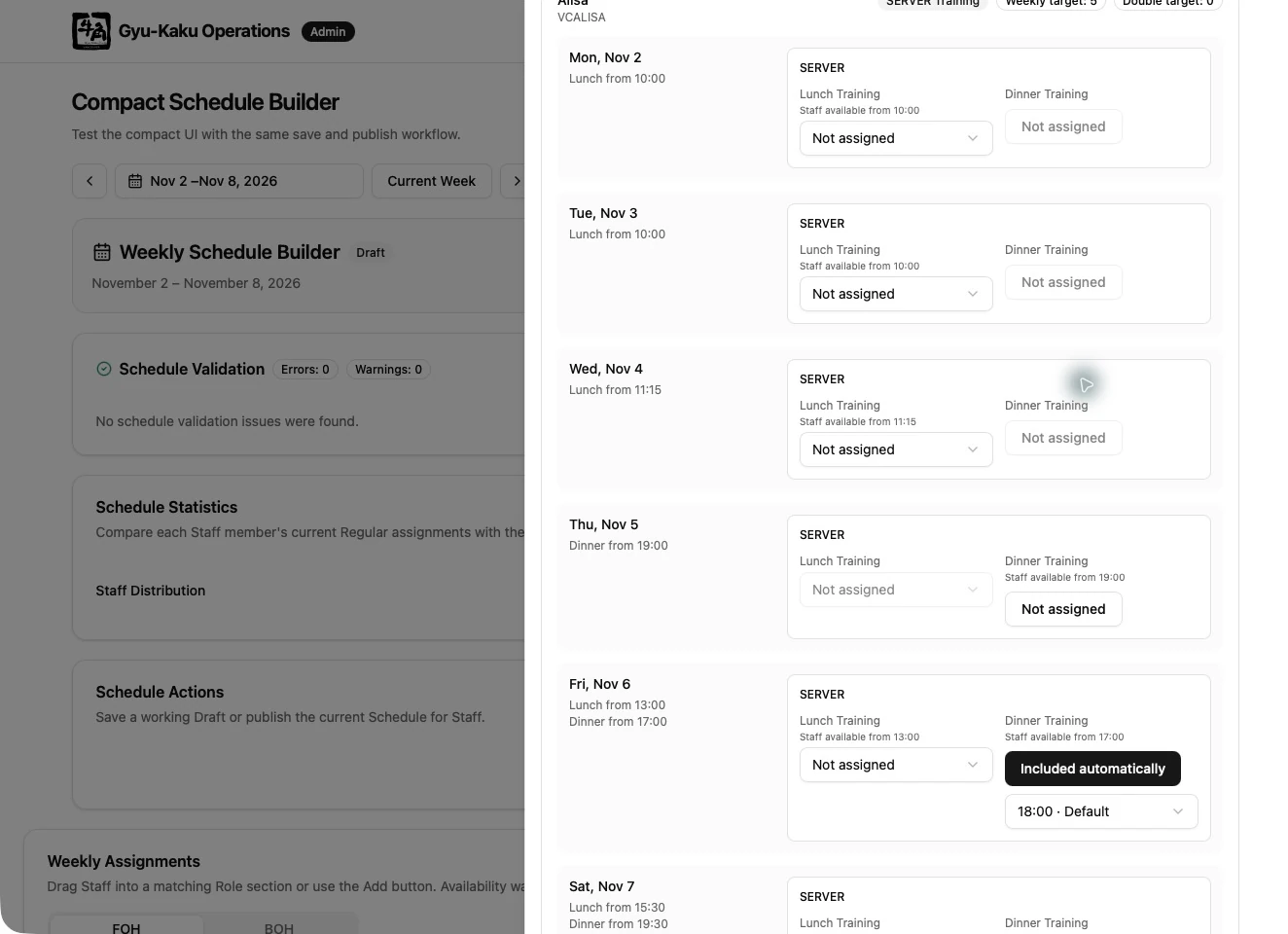
- Review Training candidates and choose Assign or Exclude.
- Generate the Draft.
Review the result
Section titled “Review the result”The result can be Optimal or Feasible and still produce an editable Draft. Review all reported shortages and diagnostics. A shortage means the requested staffing target could not be fully filled under the current eligible candidates and constraints.
Generation considers availability, vacation, role ownership, start time, overlapping work, weekly limits, preferences, Training, Scheduling Tier, Tip Level, and fairness. Tier is considered before Tip Level. Training does not replace regular staffing requirements.
Managers or Supervisors who also have scheduling roles are fallback candidates only when their Manager Schedule entry is UNASSIGNED and regular Staff cannot meet staffing needs. OFF, working shifts, OFFICE, and VACATION prevent fallback use.
Staffing review and advanced settings
Section titled “Staffing review and advanced settings”The successful-result summary focuses on staffing shortages. Review the Draft itself as well: the summary is not a checklist of every individual preference or Training decision. If generation fails, read the error and diagnostics at the top of the sheet.
Managers and Supervisors see time limit and random seed in advanced settings. Broader policy controls require System Administrator access. Generation covers one Monday–Sunday week; generate each week separately for a two-week availability cycle.